
Submission Grading
After you have submitted your code, you will be brought to a page to show how your code performed.
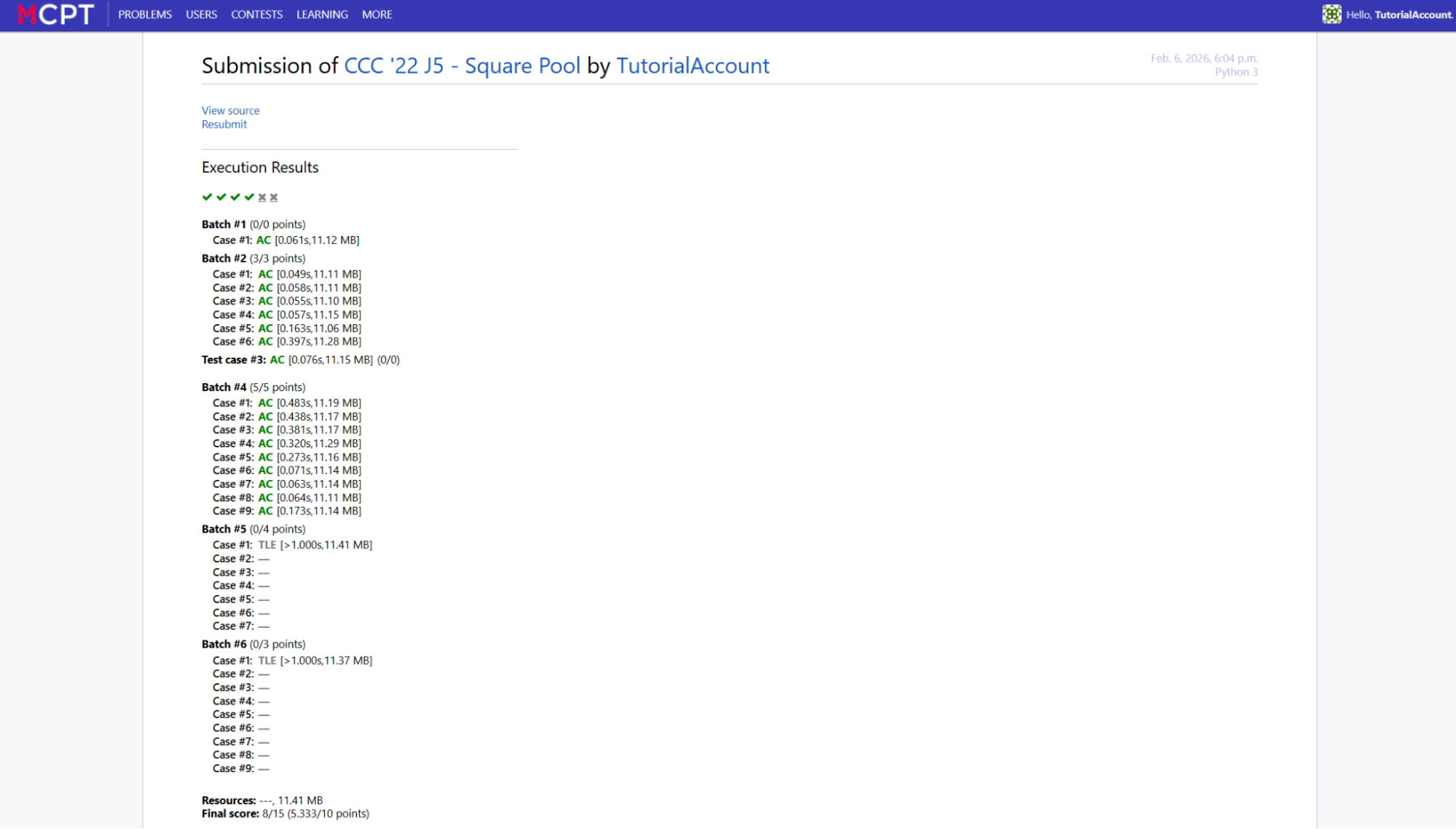
To judge if your code is right, it will be tested against many test cases, and for the given input, it will check if it matches with the expected output. You do not know what the test cases are, but you will know how your code did on them. The test cases will either be individual or in batches, with batches typically used for grouping cases for subtasks. If you fail even one test case in a batch, the rest of the batch will not be tested and you will not get the marks for that batch.
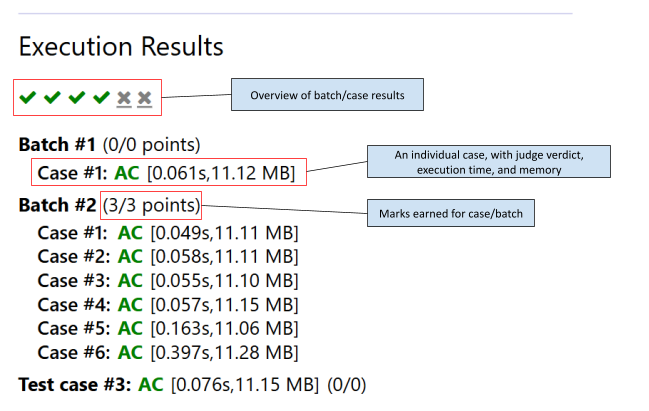
Your code will run until the first instance where the judge can give a verdict. For example, if your code exceeds the memory limit, it will halt the execution before even checking the output. There are several potential judge verdicts that your code can receive (colour coded):
| Verdict | Expansion | Meaning | Next Steps |
|---|---|---|---|
| AC | All Correct | Passed the test case | N/A |
| WA | Wrong Answer | Gave an incorrect output | Fix code logic or solution idea |
| TLE | Time Limit Exceeded | Exceeded the time limit during execution | Optimize code or solution idea |
| MLE | Memory Limit Exceeded | Exceeded the memory limit during execution | Reduce memory usage of code or idea |
| IR/RTE | Invalid Return/Runtime Error | Crashed during execution | Find an input case that crashes and debug |
| AC | All correct (partial) | Gave a partially correct answer (only for specific problems) which earned partial points | Look for a full solution |
| OLE | Output Limit Exceeded | Outputted too much | Fix code logic that’s causing too much output |
| AB | Aborted | Halted the submission (must be done manually before finishing test cases) | N/A |
| IE | Internal Error | The judge itself had an error | Contact admins and try again |
Note that sometimes the default input reading is too slow when large amounts of input are involved, in which case please reference this slideshow for optimizations on input .