
Making a submission
On the right-hand side of the page, you will find:
- Submission button
- All/Best submissions
- Voting statistics
- Points
- Time/Memory limits
- Problem type
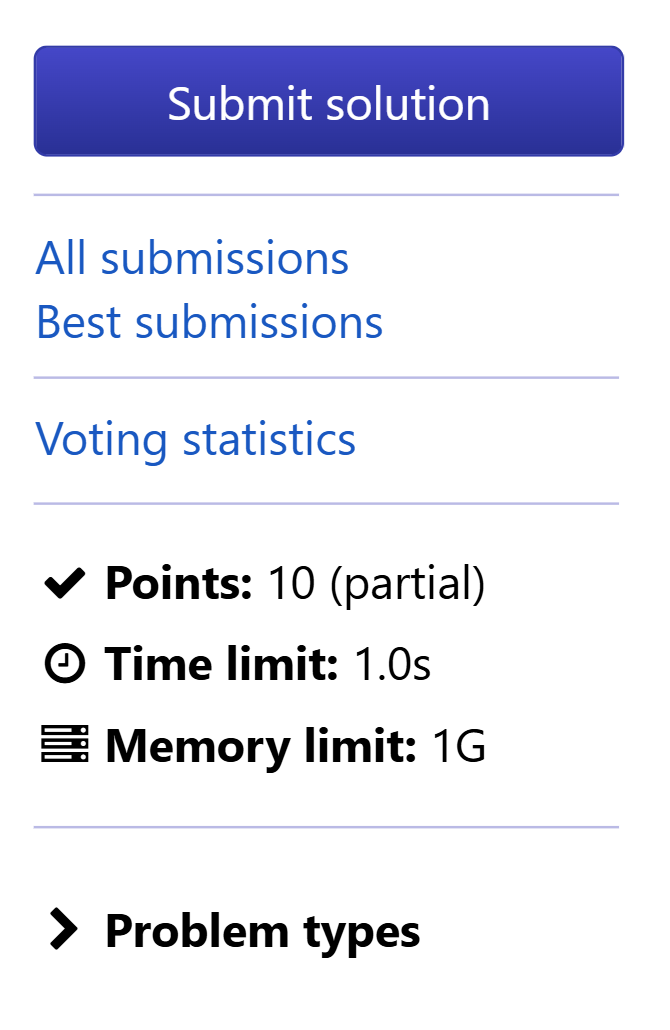
Once you are ready to submit your code, you may press Submit Solution, which will redirect you to the submission page.
After pressing on Submit Solution on the problem page, you will be brought to the submission page.
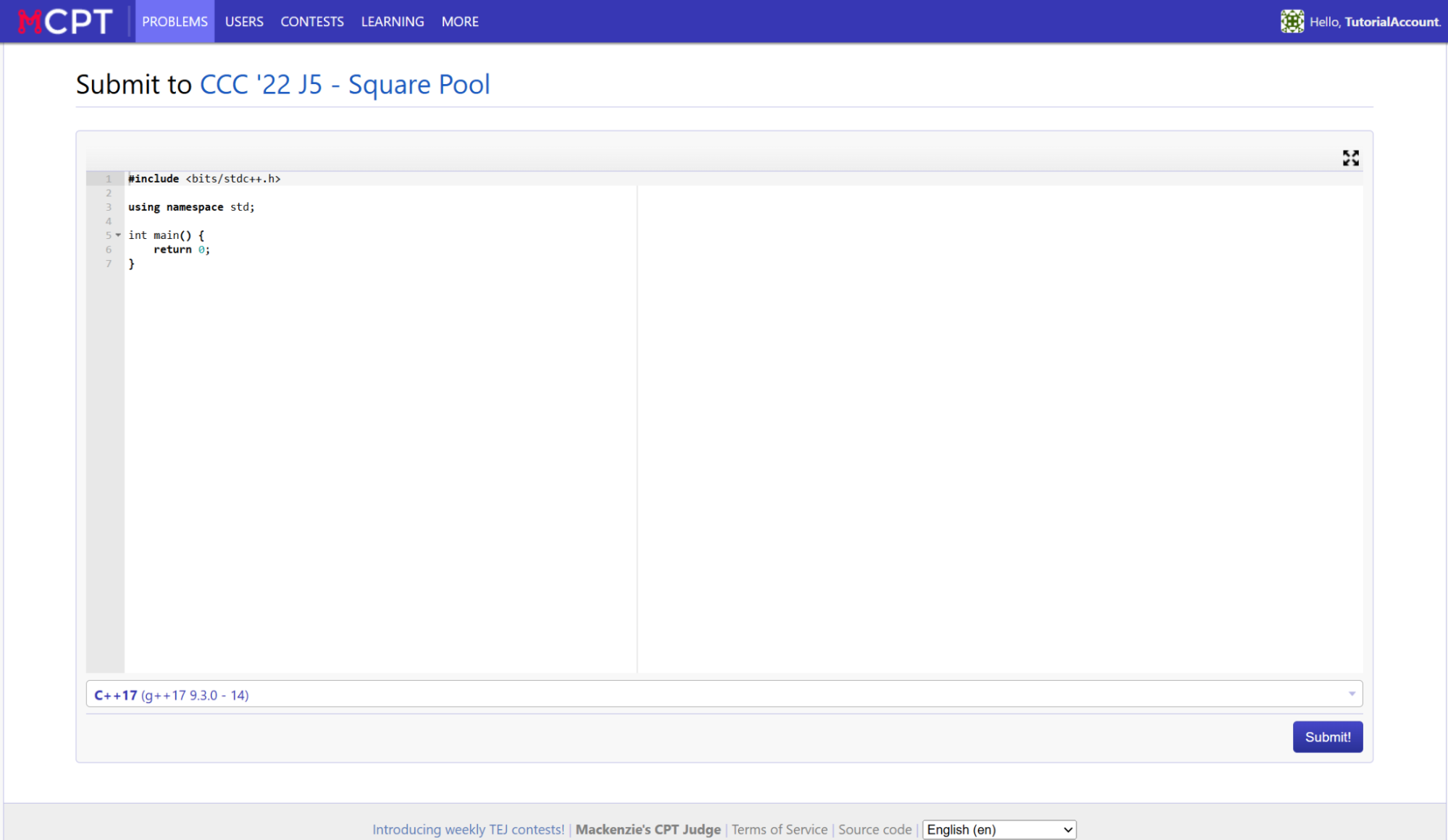
This is where you can type (or paste from your IDE) your code for the problem. Depending on the language, some template code may or may not be included already. You may choose to delete it or paste your code over it. It will have the default language selected as the one you set during the account creation, but can be changed for this submission (or the default can be changed through account settings).
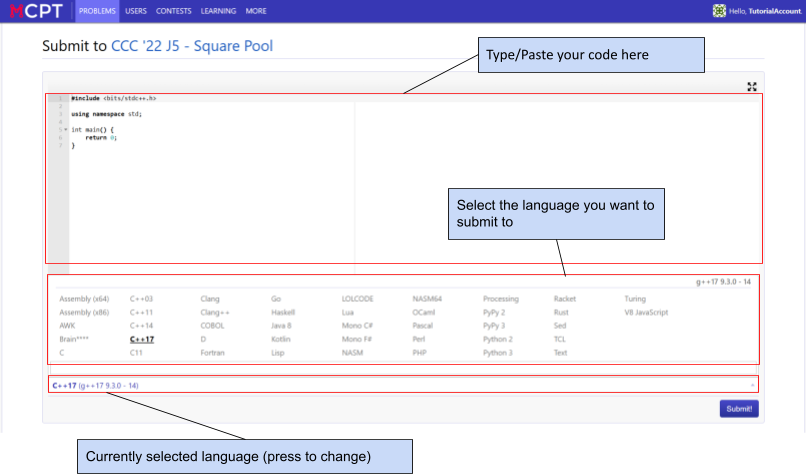
Once you are done entering your code, you can press the submit button on the bottom right. You will be brought to a page to show how your code performed.
Problem Points
The number of points allocated to a problem is always displayed, however they can represent different things depending if you are in a contest or not. They will say “partial” in parentheses if partial marks are available.
The points displayed when you are within a contest:
- Contribute to your overall contest score
- Are specifically set for that contest
- Usually set equal across all problems within the contest
The points displayed normally outside of a contest:
- Contribute to the overall points displayed on your account
- Represent difficulty range of problem
For the point difficulties, they can be voted on by pressing Vote on problem points (only visible after a user fully solves the problem for themself). They can provide a suggested point value with reasoning and see the point values suggested by other users (shown with Voting statistics), but ultimately only the problem setter or admins can change the point value.
Time/Memory Limits
The time limit and memory limits are conditions that must be met by your code across each and every test case. If your code exceeds the time or memory limit during execution, it will automatically stop and give the appropriate judge verdict.
The online judge can handle about 10^8 operations per second, although some languages are inherently slower. In some cases, some languages will be listed there with distinct time/memory limits if they cannot pass the default one. Not every language is able to solve all problems on the site.
The Problem Types dropdown at the bottom simply lists key problem tags attached to the problem, categorizing them based on what topic(s) the solution falls under (e.g. graph theory, dynamic programming, etc). This will NOT be visible during a contest.