
The Problem Page
When you open up a problem, you will see a page like the one below:
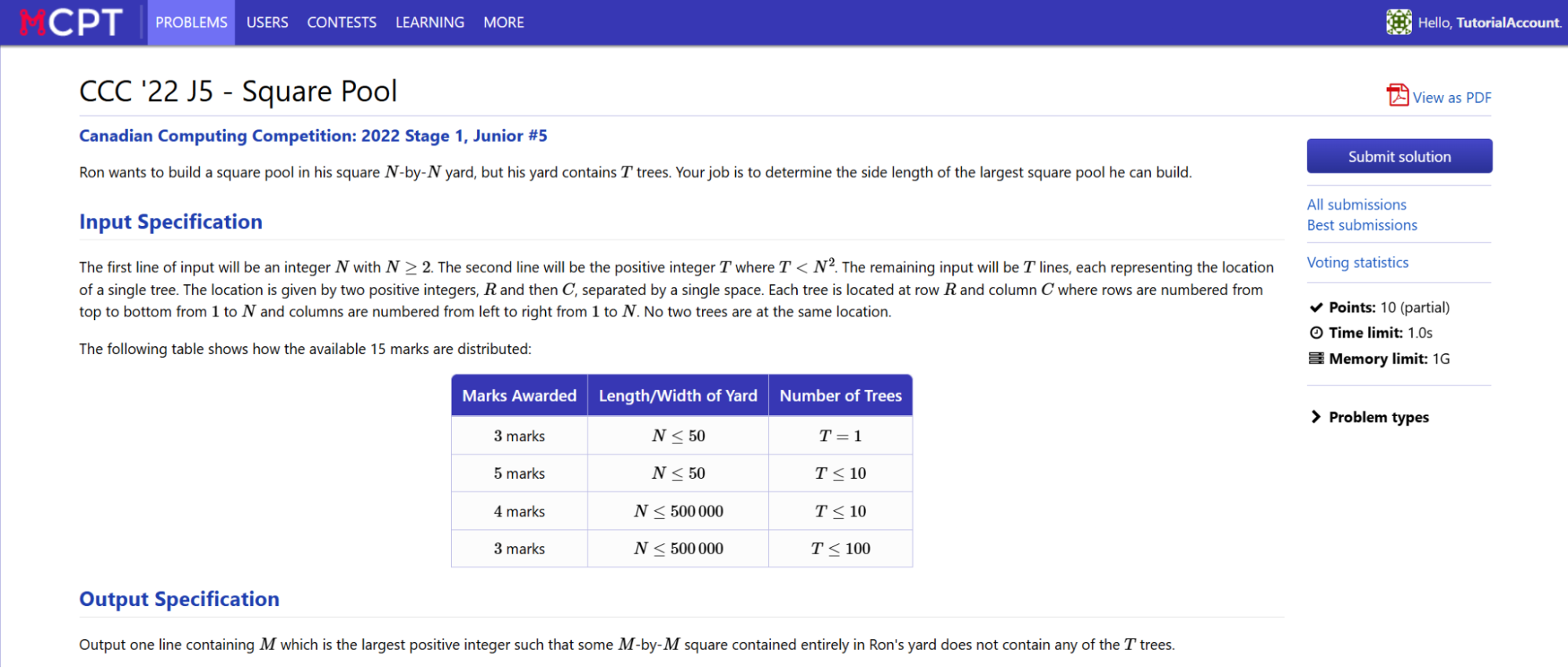
This page contains all the necessary information about the problem. Every problem will always contain:
- A description of the task
- The format of the input and output
- Input constraints
- Scoring guidelines
- Sample inputs and outputs
- Time/Memory Limits
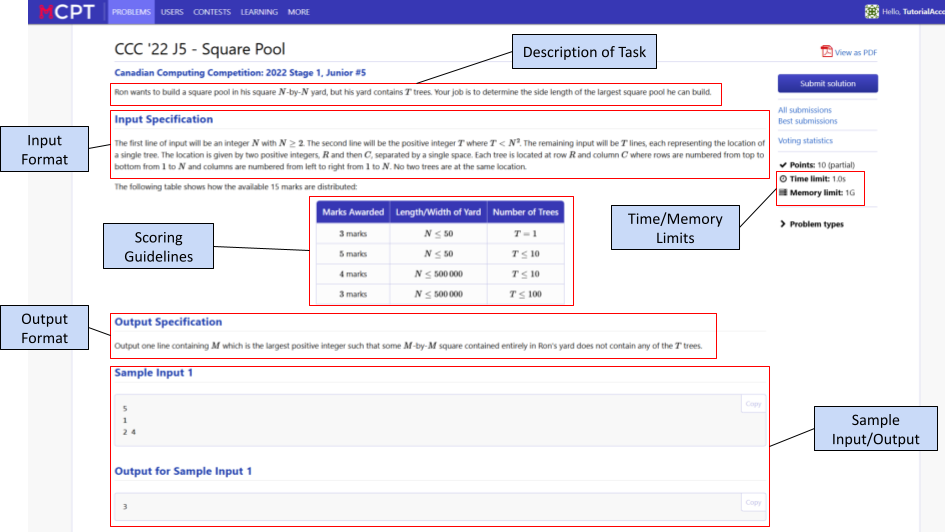
At the top of the page, under the title of the problem, there will be a description of the task. The description often includes general variables denoted with letters, which exist as input.
Under the description, there is the Input Specification. This will describe the input format, which includes the general variables from the problem statement. You must follow the input format EXACTLY, or else you will not earn marks. It should be assumed that all input test cases that the judge will run will always follow the described input format perfectly. In some cases, the constraints (size or restrictions on inputs) will be included in this section.
The output format is described under Output Specification, and again must be followed exactly to earn any marks. Unless otherwise stated, you always read in from the standard user input, not a file. Some key things to remember are:
In special cases, there may be multiple acceptable outputs, however it will be specified in the problem if that is the case.
The scoring guidelines apply for problems that allow for partial marks/points. This gives partial credit for a code submission that doesn’t fully pass all the cases, but passes special cases (limited input sizes, special input cases, etc) known as subtasks. These subtasks are outlined in either a table or under a heading that describes both special constraints and how many of the points are allocated to these cases.
Below the output specifications, there are the sample case(s). This provides an example of a valid input and a correct output. Often there is a brief explanation of how that output was derived. Below shows a sample case, with a sample input, output, and relevant explanation.
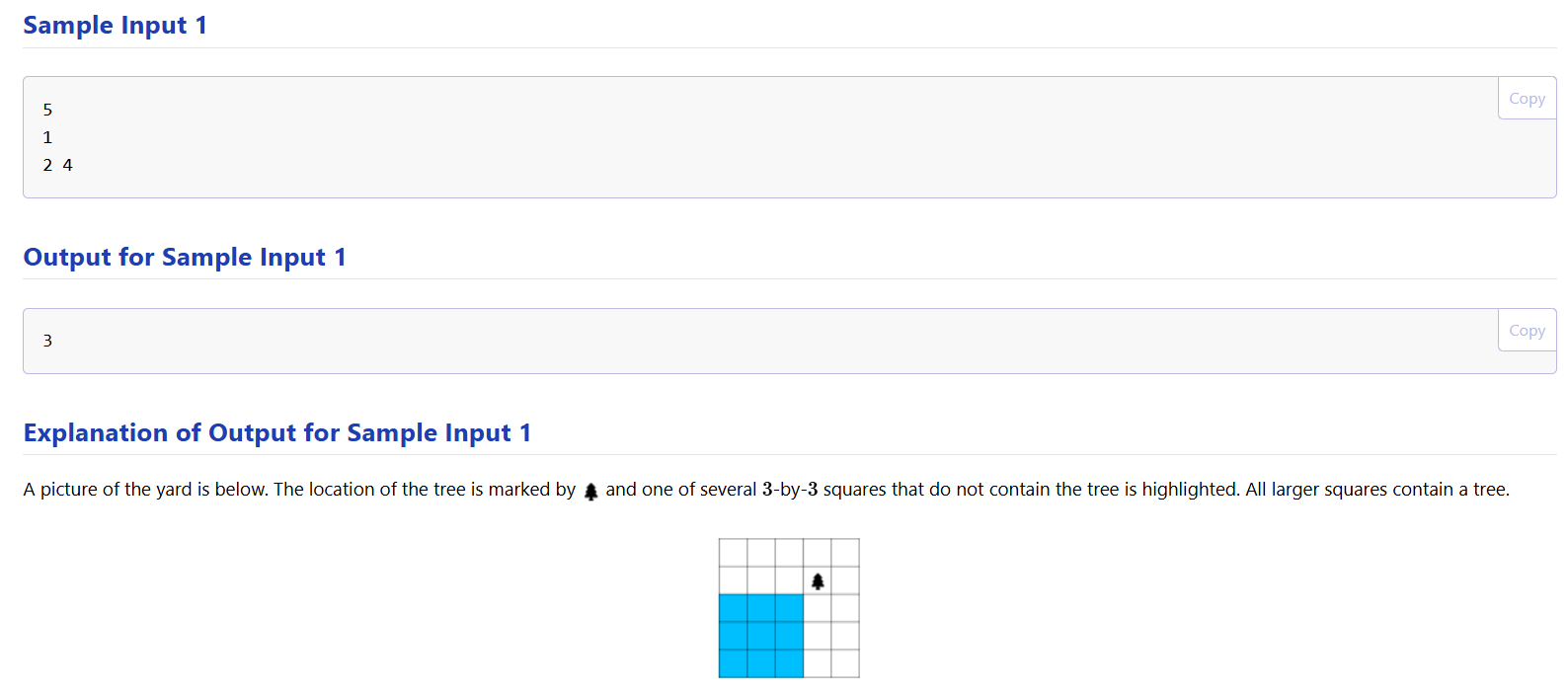
These samples are a great way of not only knowing the input and output format, but allow you to test your code. You DO NOT need to pass any sample case on the problem page in order to submit, however many problems will include the sample as a test case.